Exception Routing
Overview
Exception routing is a process configuration setting in Kognitos. It allows agent admins to configure assignment and notification rules for exceptions.
When a process encounters an exception (a question requiring guidance), these rules ensure that the right person is automatically assigned to handle it and that the appropriate team members are notified.
Configuration
Agent admins can configure exception routing for a given process, including the following settings:
| Exception Assignment | Specifies who is automatically assigned to handle exceptions. |
| Email Notifications | Specifies who receives email alerts when exceptions need guidance. |
How to Configure Exception Routing
Follow these steps to configure exception routing for a process:
1. Select a Process
Navigate to Processes and click on the process to be configured.
2. Exception Routing
Click on the menu ⋮ in the top-right and select Exception Routing.
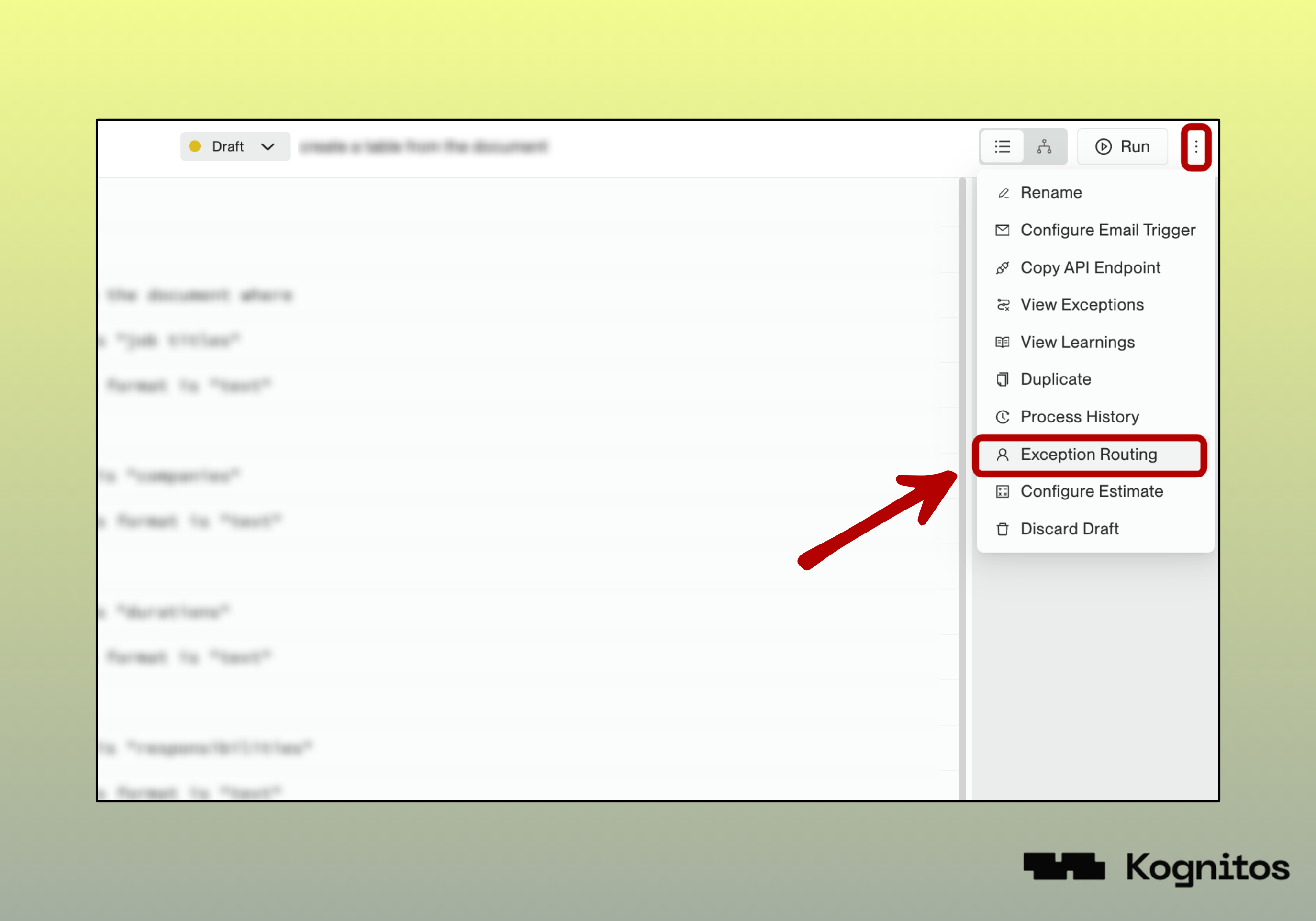
Exception Routing Menu Option
3. Exception Configurations
Configure the following details, which may be updated at any time:
| Field | Description |
|---|---|
| Exception Assignee (Required) | The user(s) to assign to handle exceptions for this process. At least one user is required. |
| Notify Members (Optional) | The user(s) to notify via email when exceptions need guidance. This is optional and may be left blank. |
Only collaborators of the agent can be selected as assignees.
To add additional users, go to Settings → Invite Users → Add Collaborator.
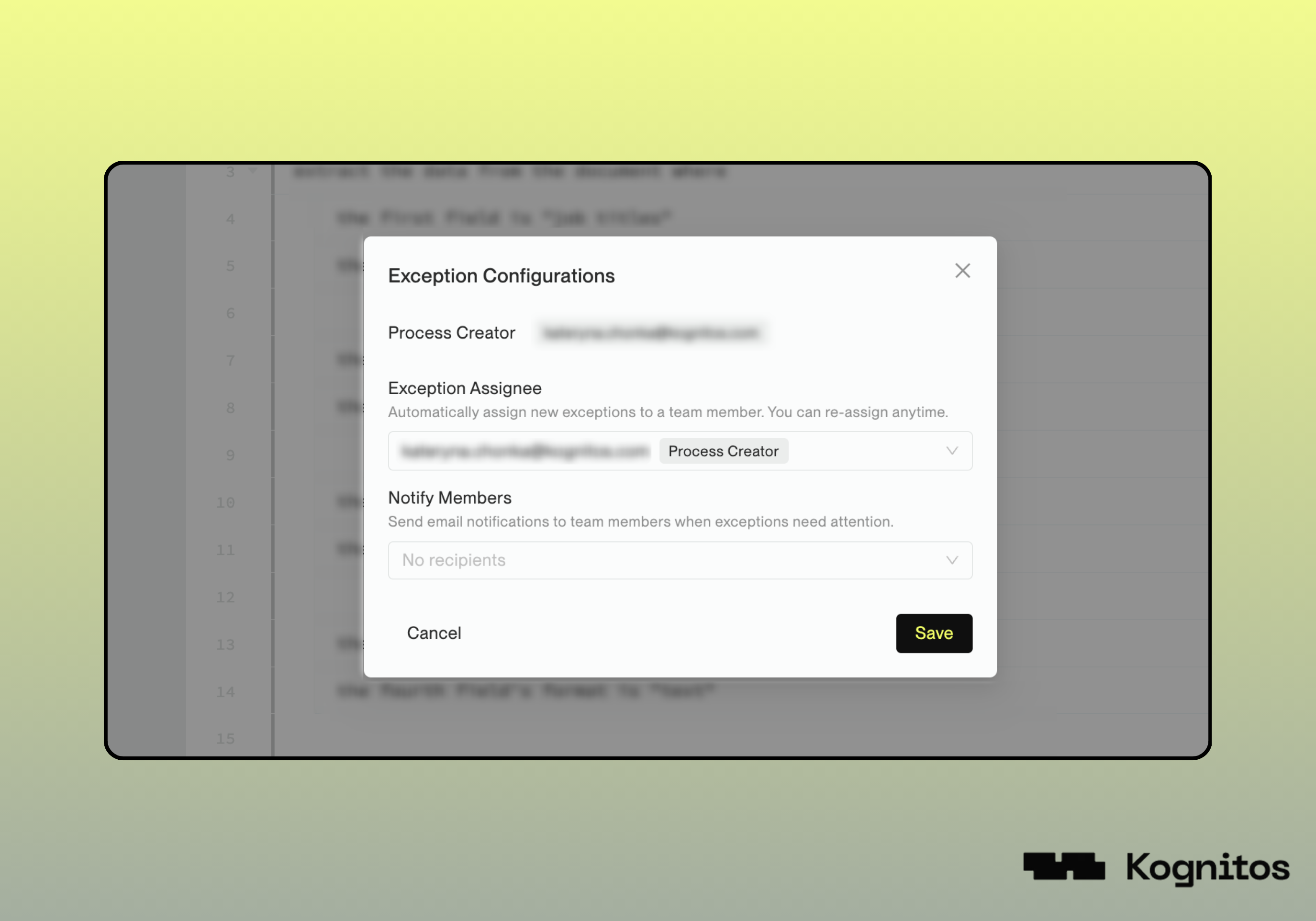
Exception Configurations
4. Save and Publish
Press Save to apply your configuration changes. Then, publish your process to make the changes live.
Examples
1. Basic Assignment
In this example, exceptions go to the process creator with no notification recipients.
| Exception Assignee | john.doe@company.com (Process Creator) |
| Notification Recipients | None |
2. Specialized Handler with Team Notifications
Here, exceptions are assigned to the process creator while the team lead and backup get email notifications.
| Exception Assignee | jane.smith@company.com (Process Creator) |
| Notification Recipients | team-lead@company.com, backup-person@company.com |
3. On-Call Assignment
Here, the current on-call person is assigned exceptions while the manager stays informed through email notifications.
| Exception Assignee | oncall@company.com (current on-call person) |
| Notification Recipients | manager@company.com |
